7 - Nova Assistant
Nova is the AI assistant built into Nexus PLM: it answers questions about your parts, documents and changes in plain language. It is optional, and this page only appears if you chose to install it on the Topology page - if you did not, Setup skips straight past it.
Nova needs two programs that are not part of Nexus PLM and that you install separately: Ollama, which runs the AI models, and ChromaDB, which holds the search index Nova builds from your records and files. Both can run on this computer or on another one you can reach. Setup checks that they answer, but never installs them.
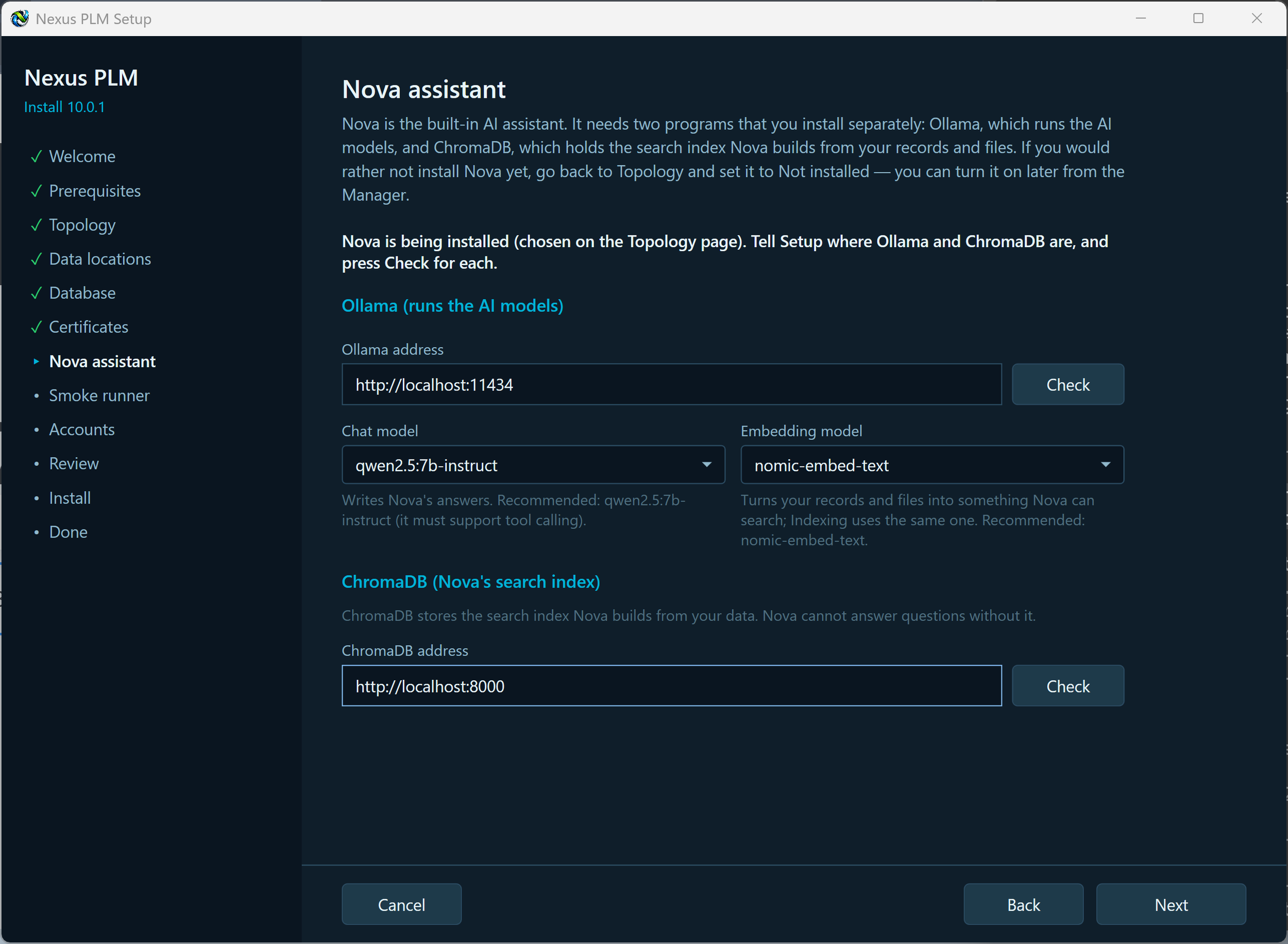
Ollama address is where Ollama listens, port 11434 on this computer by default. Press Check: Setup asks Ollama which models it has and tells you whether the two Nova needs are among them.
Nova uses two different kinds of model and needs one of each. The chat model writes the answers and must support tool calling - qwen2.5:7b-instruct is the tested recommendation. The embedding model turns your records and files into something Nova can search, and Indexing uses the same one - nomic-embed-text is the recommendation. Both boxes are filled in for you; leave them alone unless you know you want something different. If Check says a model is missing, run the ollama pull command it names on the computer running Ollama, then press Check again.
ChromaDB address is where ChromaDB listens, port 8000 by default. Press Check. Without it Nova has nowhere to keep what it has read, and cannot answer questions.
When both checks are green, press Next.
If a check fails and the program is on another computer, the usual cause is that it only listens to itself. Ollama listens on its own machine only, unless the machine environment variable OLLAMA_HOST is set to 0.0.0.0 with the port and Ollama is then restarted; ChromaDB must be started with its host option set to 0.0.0.0. In both cases the port must also be open in that computer’s firewall. Setup tells you which of these applies in the message under the address.