
1 - Welcome
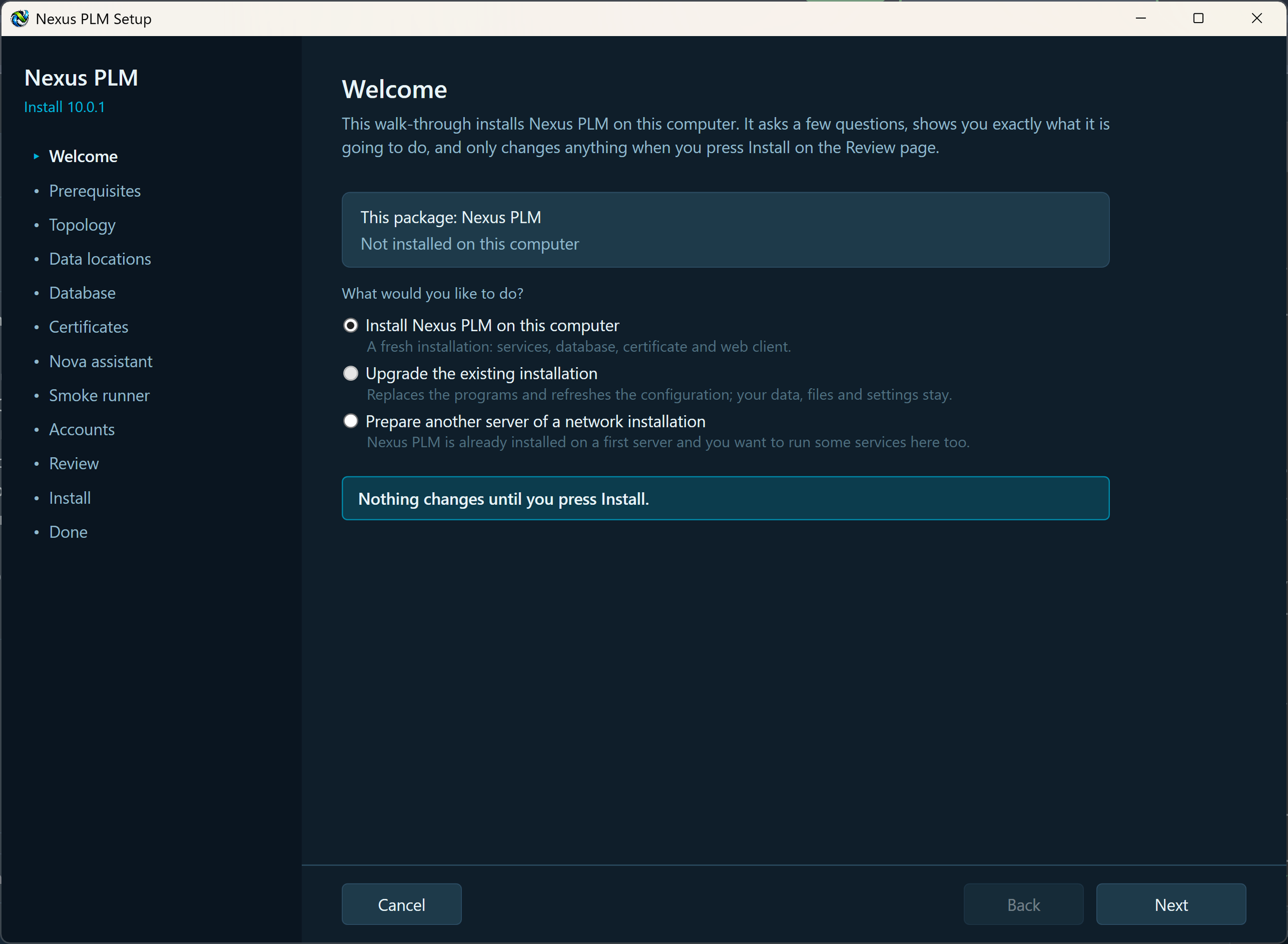
The Welcome page says what Setup is about to do, and asks the one question that shapes the rest of the walk-through: is this a brand-new installation, an upgrade of one that is already here, or another computer joining an installation you already have?
Above the choices, Setup shows the version it is carrying and the version already on this computer, so you can see what you are about to change. Nothing on the computer is touched until you press Install on the Review page - every page before that only collects answers, and Cancel is safe at any point.
Install Nexus PLM on this computer. Choose this for a new server. Setup installs the services, prepares the database, issues a certificate and sets up the web client. It is chosen for you when no installation is found.
Upgrade the existing installation. Chosen for you when Setup finds Nexus PLM already installed here. The programs are replaced and the settings files are written again from your answers, so any setting added by the new release is there. Your data - vault files, search index, Nova’s data, types, numbering and workflows - is never touched.
Prepare another server of a network installation. Choose this on the second, third and later computers of a multi-server installation. Setup will ask for the shared secret shown on the Done page of the first server, which is what lets the services trust each other.
Make your choice and press Next.
If the version already installed is newer than the one in this package, close Setup and run the current installer instead.
If Setup says another copy is already running, close the other Setup or Manager window before you continue.
Installation - Welcome
