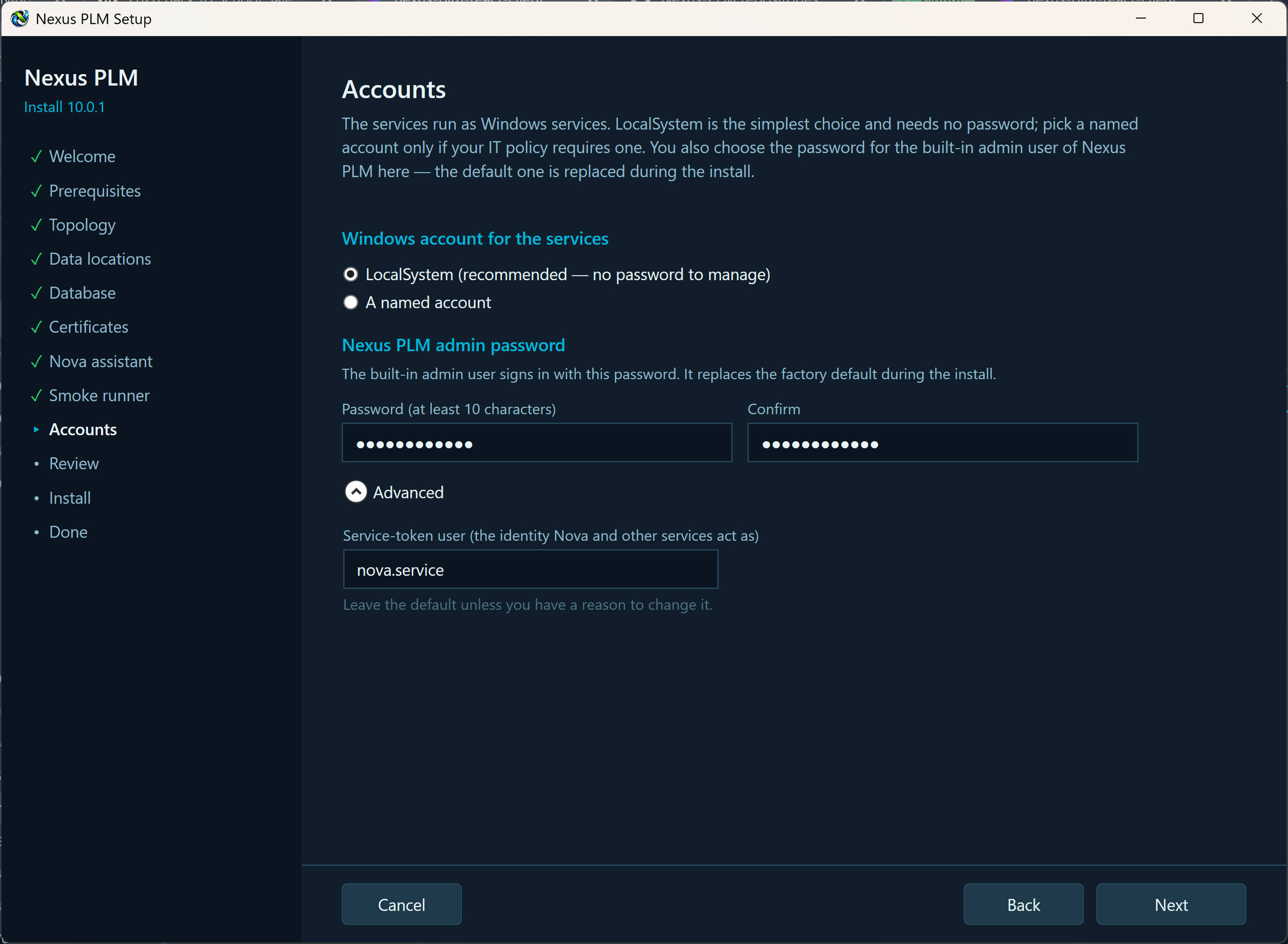
9 - Accounts
This page asks two things: which Windows account the services run under, and the password for the first Nexus PLM administrator.
Windows account for the services. LocalSystem is the right answer in almost every case: it needs no password, it survives password policies, and Setup arranges every folder permission for it. Choose a named account only if your IT policy insists on one. Enter it as DOMAIN\user or .\user with its password; Setup checks that the sign-in works and grants the account the “Log on as a service” right.
The service account password is used once, to register the services, and is never stored. If that account’s password is changed in Windows later, update it in the Manager under Settings, Accounts, or the services will stop starting.
Administrator password. Nexus PLM ships with a built-in admin user whose password is well known. Setup replaces it with the one you type here as soon as the Engine starts, so the system is never reachable with a default password. Use at least 10 characters - a short sentence works well - type it twice, and write it down somewhere safe: this is how you sign in the first time, as the user admin.
Under Advanced there is the Nova service user, the Nexus PLM account Nova acts as when it looks things up. Leave it as it is unless you have a reason to change it.
Fill both in and press Next.
If Setup objects: the two passwords do not match, or the password is shorter than 10 characters, type them again; it could not sign in with the named account, check the user name form and the password and that the account exists here or in the domain; it could not grant “Log on as a service”, a domain policy is overriding that right, so ask your domain administrator to add the account to it, or simply use LocalSystem.