12 - Done
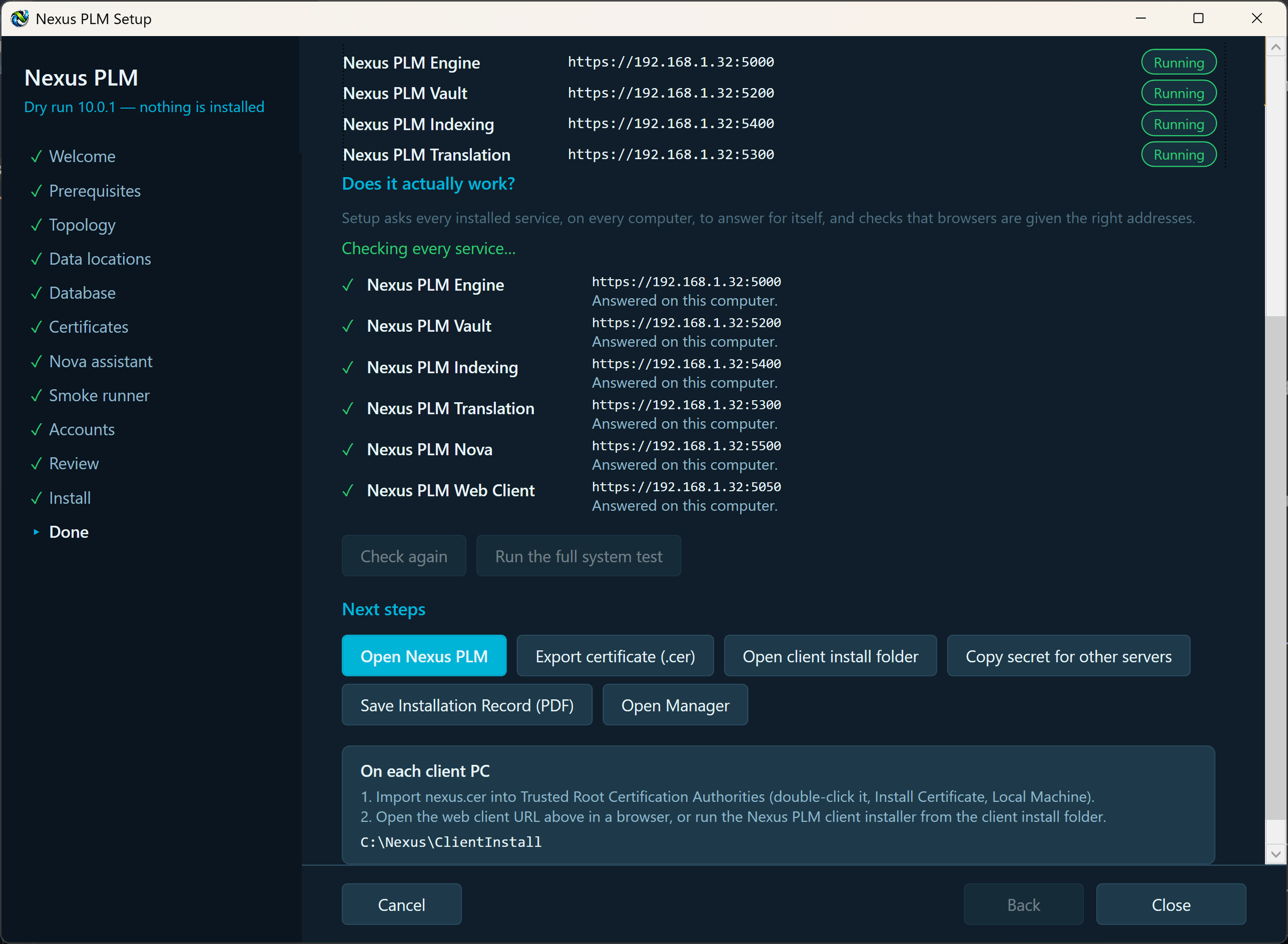
The Done page confirms everything is running and hands you what you need next. It shows the address of your new Nexus PLM website, a status pill for each service, and the buttons that finish the job.
Open Nexus PLM takes you to the site in your browser. Sign in as admin with the password you chose on the Accounts page. If you have not yet trusted the certificate on this computer, the browser will warn you once; accepting it, or importing nexus.cer first, both work.
Export certificate and Open client install folder give you what the client PCs need. Keep the contents of that folder: it holds nexus.cer, which each client PC imports so browsers and the desktop tools trust the server without warnings.
Copy secret for other servers matters only for a multi-server installation. It puts the shared secret on the clipboard; the Setup on the second and later servers asks for it, and it is what lets the services trust one another. Paste it somewhere safe before you close Setup.
Setup also writes an Installation Record into the client install folder: a short PDF listing where everything ended up - which service runs on which computer and port, the data folders, the database, the certificate and its expiry date. It contains no passwords or secrets, so keep it with your IT documentation.
Open Manager launches the same program in its everyday role: service status, start and stop, settings, certificate renewal, backups and future upgrades. It stays installed, so this is where you come back to.
Before any of that, the page checks the installation itself. Under “Does it actually work?” Setup asks every installed service to answer on its own address - including the ones on other computers, which it never touched during the install - and reads the web client’s configuration to confirm browsers are handed those same addresses. Each line turns green as it passes. A line that fails says what to do about it, naming the computer, the port and the firewall rule to open, so a mistyped address or a closed port is caught here rather than by your users next week.
Check again re-runs those checks after you have fixed something, without closing Setup.
Run the full system test goes further. It signs in as the administrator and starts the Deploy Smoke suite on the server: the real website driven in a real browser, signing in, creating a few records and tidying them up again. It takes a few minutes and the result appears on the dashboard of the web client. This needs the Deploy Smoke runner to have been installed earlier; if it was not, Setup says so instead of pretending to test.
That is the installation finished. The next step is the client PCs.